简单来讲,WSL(Windows Subsystem for Linux)就是一个Windows中嵌入Linux子系统的官方方案,以便实现大多数GNU的功能(比如编译代码等(至少我只能想到这(误
安装与配置
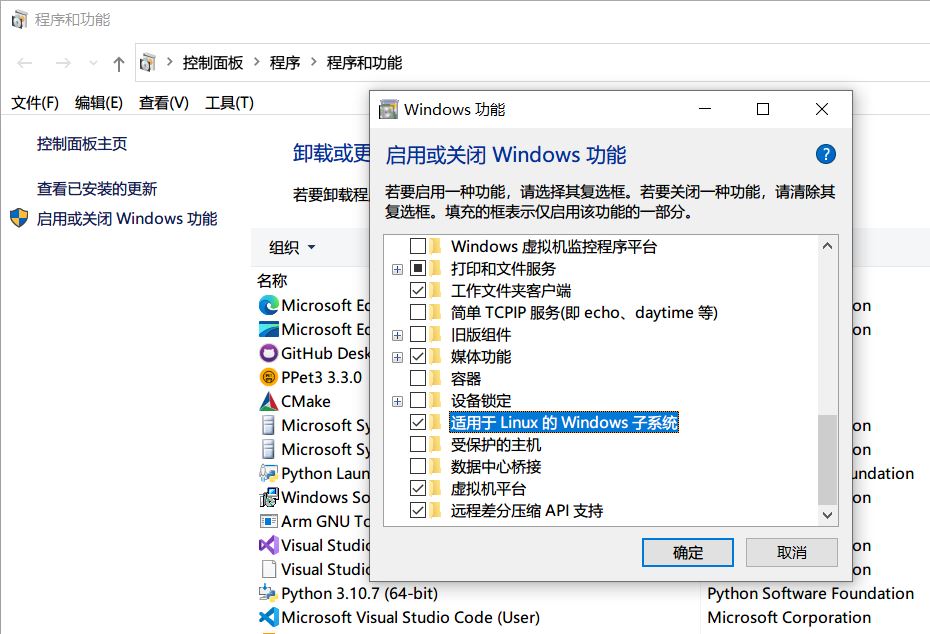
在Windows功能中开启 适用于Linux的Windows子系统 和 虚拟机平台 确认应用
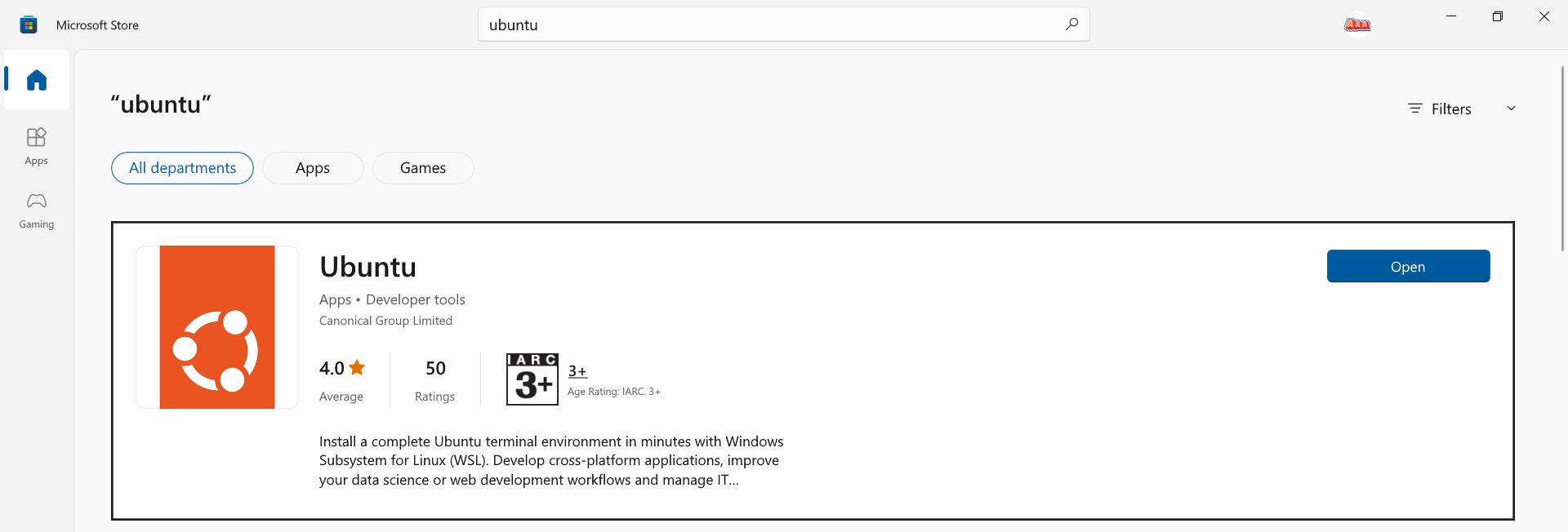
在 Microsoft Store 中搜索 Ubuntu 并安装
开启Ubuntu,输入初始用户和密码
常见问题
su: Authentication failure
为root设置密码
1
$ sudo passwd root
和主系统互相访问文件
1
2
3
4
5
6
# wsl -> Windows
$ cd mnt
# Windows -> wsl
$ explorer.exe .
# 或者文件浏览器内
'\\wsl$\Ubuntu'
apt镜像源
编辑apt sources.list
1
$ vim /etc/apt/sources.list
如果是20.04 LTS,在sources.list中加入:
1
2
3
4
5
6
7
8
9
10
11
12
13
14
deb http://mirrors.aliyun.com/ubuntu/ focal main restricted universe multiverse
deb-src http://mirrors.aliyun.com/ubuntu/ focal main restricted universe multiverse

deb http://mirrors.aliyun.com/ubuntu/ focal-security main restricted universe multiverse
deb-src http://mirrors.aliyun.com/ubuntu/ focal-security main restricted universe multiverse

deb http://mirrors.aliyun.com/ubuntu/ focal-updates main restricted universe multiverse
deb-src http://mirrors.aliyun.com/ubuntu/ focal-updates main restricted universe multiverse

deb http://mirrors.aliyun.com/ubuntu/ focal-proposed main restricted universe multiverse
deb-src http://mirrors.aliyun.com/ubuntu/ focal-proposed main restricted universe multiverse

deb http://mirrors.aliyun.com/ubuntu/ focal-backports main restricted universe multiverse
deb-src http://mirrors.aliyun.com/ubuntu/ focal-backports main restricted universe multiverse